Web Development Research & POC for Healthcare Software in Netherlands
Facile Technolab supported a healthcare software company in Netherlands modernize and integrate third-party services.
Read Full Case Study
Modernize Your Legacy Software Without Putting Your Business on Hold Your legacy application may still run critical parts of your business—but outdated frameworks, undocumented dependencies, unsupported components, and difficult-to-maintain code can make every change increasingly risky. Facile Technolab helps organizations modernize legacy .NET, ASP.NET Web Forms, Classic ASP, WCF, ColdFusion, and PHP applications into modern, maintainable architectures using technologies such as ASP.NET Core, modern .NET, Azure, Angular, and modern APIs. Our discovery-first, phased modernization approach helps preserve business logic, reduce migration risk, and deliver working functionality incrementally instead of relying on a single high-risk rewrite or cutover.




Legacy software doesn't necessarily need to be replaced just because it is old.
The problem starts when the technology makes it increasingly difficult to operate, secure, integrate, or improve the system.
You may be dealing with:
If the software still contains valuable business logic and supports important workflows, modernization may be a safer and more practical option than starting from scratch.
Software modernization is the process of improving an existing application so it can meet modern requirements for security, maintainability, performance, scalability, integration, and deployment—while preserving the business capabilities and data your organization depends on.
Depending on the application, modernization can involve:
Modernization does not mean rewriting everything.
We first determine what should be retained, refactored, replaced, migrated, or rebuilt based on business value and technical risk.
Most of our modernization engagements start with one of these technology situations:
Modernize applications built with Classic ASP, VBScript, COM components, and IIS-based architectures into modern C# and ASP.NET Core applications.
Because Classic ASP systems can contain deeply embedded COM dependencies and undocumented business logic, we assess these dependencies before determining the migration strategy.
Modernize older ASP.NET MVC, Web Forms, and other .NET Framework applications toward current .NET and ASP.NET Core architectures.
The migration strategy depends on application architecture, dependencies, database design, integrations, and the amount of legacy functionality that needs to be preserved.
Move Web Forms applications toward modern architectures such as ASP.NET Core MVC, Razor Pages, Blazor, or other appropriate approaches.
For large applications, functionality can be migrated incrementally so that the existing system continues supporting users while modernized components are introduced.
Modernize Windows Communication Foundation services toward REST APIs, gRPC, or CoreWCF where appropriate.
The migration includes consideration of existing contracts, authentication, bindings, service dependencies, consuming applications, and compatibility requirements.
Migrate legacy ColdFusion applications toward modern C# and ASP.NET Core architectures.
Our ColdFusion modernization experience includes preserving existing dealer, organization, event, membership, and operational data while transitioning a business-critical application to a cloud-based architecture. The project delivered a modern Angular frontend, ASP.NET Core backend, Azure SQL, CI/CD, and improved operational automation.
For organizations that have standardized their technology ecosystem around Microsoft and Azure, we can assess and migrate suitable enterprise PHP applications toward ASP.NET Core.
The decision should be driven by business and technical requirements not by technology preference alone.
A full rewrite isn't automatically the best answer to a legacy software problem.
A rewrite discards the existing implementation and builds a new system. That can make sense for some applications, but it can also introduce significant risk when the existing system contains years of accumulated business rules that aren't documented anywhere else.
Modernization allows those capabilities to be transformed incrementally.
| Situation | Potential approach |
|---|---|
| Valuable business logic but outdated technology | Modernization |
| Manageable technical debt | Incremental modernization |
| Large application that cannot easily go offline | Phased migration |
| Specific legacy components causing problems | Component modernization |
| Well-defined application with limited reusable logic | Rewrite may be appropriate |
| Legacy architecture that is fundamentally unmaintainable | Selective rewrite or replacement |
Our starting point is not "How do we rewrite this?"
What is the safest and most commercially sensible way to move this application forward?
For large systems, we may use a phased approach such as the Strangler Fig pattern, allowing modernized functionality to coexist with the legacy system during migration.
Before changing production code, we first need to understand what you already have.
A modernization assessment helps uncover the risks and dependencies that are often invisible from the outside.
The assessment can produce:
We follow a structured delivery process built around one principle:
Your production system should remain operational throughout the modernization wherever the architecture allows it.
Every engagement starts with understanding what exists before changing it.
We review your existing codebase, map dependencies, analyze databases and infrastructure, identify undocumented business logic, and understand the application's critical workflows.
You receive a clear view of migration complexity, risks, recommended approach, timeline, and estimated investment before full development begins.
We design the target architecture and select the migration pattern appropriate for your application.
Depending on the system, this may include:
We define migration phases, acceptance criteria, testing strategy, dependencies, and release plans before development begins.
Development is organized into two-week sprints, with working and testable output delivered incrementally.
Rather than waiting months for one final cutover, modernized functionality can be validated and released progressively.
Where appropriate, the legacy application remains available as a fallback while migration continues.
Each migrated component is tested against the existing application's expected behavior.
We validate:
The objective is not simply to create newer code. It is to ensure the modernized system continues doing what the business needs.
At completion, your team receives the materials required to own and operate the modernized application.
This can include:
After production release, we help stabilize the modernized system and address issues that surface during real-world operation.
Our standard post-launch stabilization period is typically 30–60 days, followed by an ongoing maintenance or development arrangement where required.
Modernization becomes particularly challenging when software isn't simply an internal tool—it runs important business operations.
We've worked on modernization scenarios involving:
Production scheduling, inventory, MES integrations, quality reporting, and operational workflows often depend on applications that have been running for years.
Modernization needs to respect operational continuity.
Patient-facing applications and operational systems require particular attention to security, data integrity, interoperability, and availability.
Legacy financial applications often contain critical calculations, compliance rules, transaction workflows, and undocumented business logic.
Modernization needs to preserve those rules while improving maintainability and enabling new capabilities.
Product companies frequently inherit older applications through acquisitions, previous development teams, or early versions of products that have outgrown their original architecture.
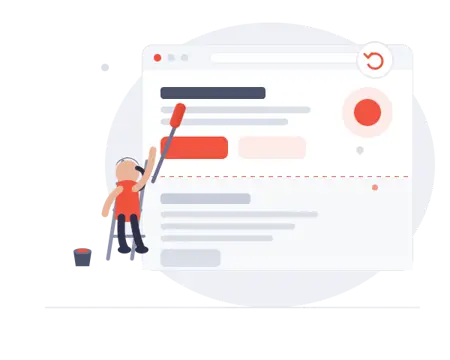
A business-critical ColdFusion application needed to support evolving business processes while preserving years of existing dealer, organization, event, membership, and operational data.
Facile Technolab modernized the application into a cloud-based architecture using Angular, ASP.NET Core, Web API, Azure SQL, and CI/CD.
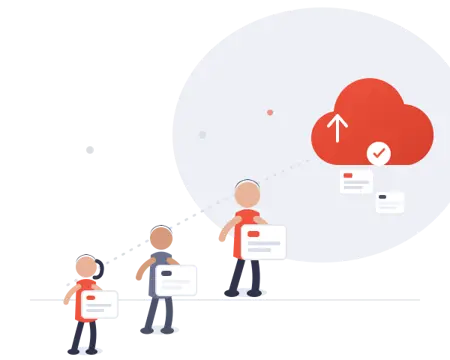
A legacy payroll and attendance application required modernization while preserving its existing business functionality.
The engagement involved legacy technology, application assessment, modernization, and development toward a modern SaaS platform.
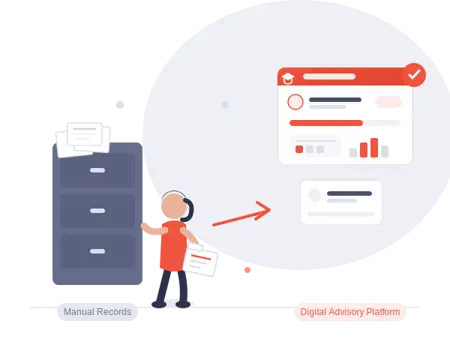
A collection of legacy web applications used for college planning required modernization and improved operational workflows.
The project demonstrates how modernization can go beyond framework upgrades to improve the underlying business processes and user experience.
Facile Technolab offers end-to-end software modernization services from assessment and strategy to implementation, testing, and post-launch support. Engagements are tailored to your legacy stack, risk profile, and business timeline.
Facile Technolab is trusted by product and IT teams that need modernization done carefully - without breaking critical workflows. Clients value our structured execution, clear communication, and Microsoft-first engineering approach for long-lived systems.


There isn't a meaningful single price for modernization because the complexity of a legacy application can vary dramatically.
Facile Technolab currently offers modernization engagements through staff augmentation/dedicated teams at approximately $15–$40 USD/hour, depending on seniority and technology stack. Fixed-price phased engagements are also available.
For fixed-price projects, work can be divided into two-week delivery sprints and milestones, allowing progress to be reviewed incrementally.
For applications with significant undocumented dependencies, we recommend beginning with an assessment before estimating the complete migration.
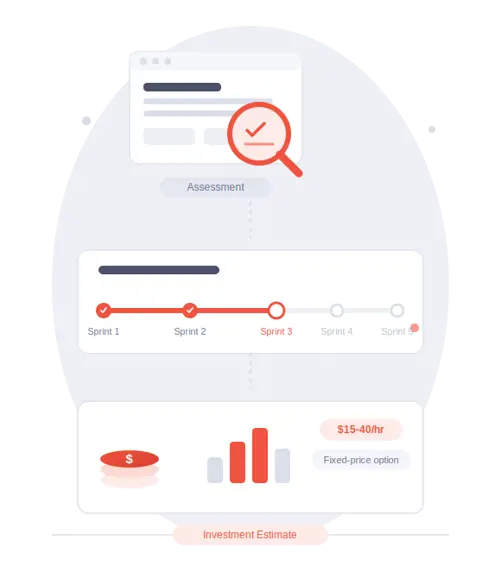
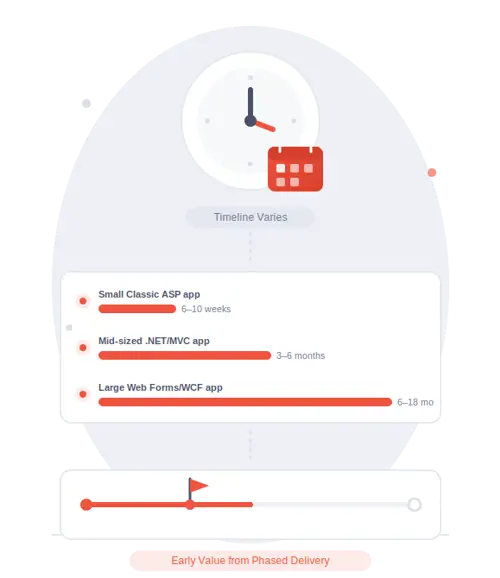
Modernization timelines depend on application size, technology, dependencies, integrations, data complexity, and the selected migration strategy.
As an indicative guide:
| Application scenario | Indicative timeline |
|---|---|
| Small Classic ASP application | 6–10 weeks |
| Mid-sized .NET Framework/MVC application | 3–6 months |
| Large Web Forms/WCF application with complex integrations | 6–18 months |
These are indicative ranges, not fixed commitments.
The most reliable way to establish a timeline is to assess the existing application first.
A phased modernization also means that useful functionality can be delivered before the entire application has been migrated.
Our strongest specialization is helping organizations move aging Microsoft and enterprise applications into modern, maintainable architectures. We combine legacy application assessment, modernization architecture, phased migration, and ongoing engineering support to reduce technical risk while preserving critical business functionality.
We don't recommend a migration strategy based solely on the technology name. We first understand the codebase, dependencies, data, infrastructure, business logic, and operational requirements.
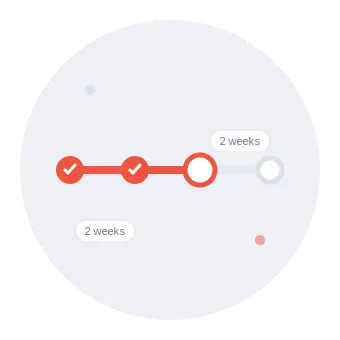
Modernization is divided into manageable milestones and two-week development sprints rather than relying on a single final delivery.
Where technically feasible, legacy and modernized components can operate together during migration.
You receive source code, documentation, deployment information, and knowledge transfer rather than being dependent on a black-box implementation.
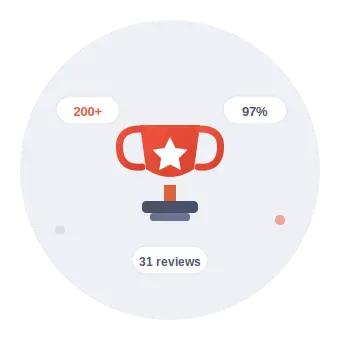
Facile Technolab reports 200+ projects delivered, 97% client retention, 85% referral clients, and 31 verified Clutch reviews.
.NET 8 vs .NET 6 compared. Support timelines, performance gains, and breaking changes. A practical guide to deciding when and how to upgrade.
A guide for CTOs, architects, and engineering leaders planning legacy modernization. Find out which NuGet packages can be upgraded, replaced, removed, or redesigned based on real-world migration experiences.
Discover how to modernize legacy .NET applications without operational disruption using zero-downtime strategies, phased migration, and best practices from Facile Technolab.
Read how how IT leaders transform operations with legacy modernization. Real case studies & strategies prove its impact on growth, automation & scalability.
A step-by-step guide for CTOs to modernize legacy systems using .NET 8 and Microsoft Azure. Learn strategy, tools, timelines, and expected ROI.
Many enterprises still rely on aging Windows applications that no longer scale. This guide walks IT leaders through a proven roadmap to migrate legacy apps to modern, cloud-native SaaS platforms.
Proven 5-phase framework to modernize legacy ASP apps. Eliminate security risks, reduce costs, boost performance. Includes migration strategies for COM, VBScript & databases.
This article provides a step by step process of migrating your enterprise php web applications to ASP.NET Core.
End-of-support looming? Migrate Web Forms to ASP.NET Core securely.
This blog article explains the why, how, and what’s next for enterprises to migrate from WCF to ASP.NET Core, offering actionable choices to future-proof communication layers while preserving business logic.
This article explores the strategic migration of ColdFusion applications to ASP.NET Core, offering actionable insights for technical leaders and decision-makers.
Find out the strategic path to think about migrating your legacy enterprise web applications to asp.net core.
Explore flexible ways to work with Facile Technolab. Whether you want to form a long-term technology partnership, hire dedicated developers, leverage our products, or download practical guides we provide the support and resources to help you move faster with confidence.
Guides and checklists we have put together for teams doing their homework from choosing an engagement model to getting your architecture before launch. The resources you actually need to make a decision.
Browse All Resources →
Stop patching talent gaps project by project. As your offshore development partner, we bring a dedicated Microsoft-focused team into your workflow access to skilled engineers, faster time-to-market, and a working relationship built for the long term, not a one-off contract.
Learn About Partnership → Start a Conversation →
Discover the software products and accelerators we’ve built to help teams move faster from starter kits to specialized solutions for modern application development.
Our Products →
Whether you need one specialist or a full dedicated team, our developers plug into your existing workflow, tools, and standups from week one.
All Developer Roles → Talk to Us →
We build software around your industry's workflows, challenges, and compliance needs, creating practical solutions that support your operations and business goals.
Explore Industries → Talk to Us →
Facile Technolab helps businesses build, modernize, and scale software with experienced developers, practical technology solutions, and flexible engagement models.
About Facile Technolab → Talk to Us →Explore Facile Technolab’s AI development and developer hiring services for building, integrating, and scaling intelligent applications. From Microsoft AI technologies and agentic solutions to AI-powered .NET applications, our teams help businesses turn practical AI use cases into production-ready software.
Build custom AI solutions that fit your business workflows, applications, and goals. We develop intelligent software using modern AI technologies, LLMs, automation, and enterprise application integrations.
Explore AI Development →
Integrate AI capabilities into existing applications, APIs, workflows, and business systems without replacing the software your teams already rely on.
Explore AI Integration →
Develop intelligent AI agents and agentic workflows using Microsoft Agent Framework, with integrations across Microsoft Foundry, Azure OpenAI, APIs, tools, and enterprise applications.
Explore Agent Development →
Hire AI developers who combine .NET and C# expertise with modern AI technologies to add intelligent capabilities to ASP.NET Core, APIs, enterprise applications, and business platforms.
Hire .NET AI Developers →
Hire generative AI developers experienced in Azure OpenAI, LLMs, RAG, AI applications, and enterprise solutions designed around real-world business requirements.
Hire GenAI Developers →
Hire AI agent developers to build intelligent agents, agentic workflows, tool integrations, RAG solutions, and enterprise automation using Microsoft Agent Framework and Azure AI technologies.
Hire AI Agent Developers →See how teams modernized legacy systems with Facile Technolab improving performance, security, maintainability, and cloud readiness. Our case studies highlight phased modernization approaches, integration considerations, and measurable operational impact across operations-heavy industries.
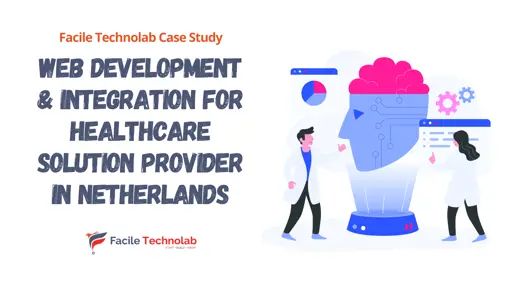
Facile Technolab supported a healthcare software company in Netherlands modernize and integrate third-party services.
Read Full Case Study
Facile Technolab supported development & maintenance of the legacy web apps & products.
Read Full Case Study
How Facile Technolab provided IT staff augmentation for an Australian financial services firm - scaling development capacity without full-time hiring overhead.
Read Full Case Study
Facile Technolab modernized a legacy business critical web app to modern stack on cloud.
Read Full Case Study
Provided dedicated team for legacy modernization of payroll and attendance software.
Read Full Case Study
Legacy application modernization of various web apps used for handling college planning.
Read Full Case StudyExplore common questions about software modernization and learn more about how Facile Technolab can help you modernize your software infrastructure for enhanced business outcomes.
What is the difference between software modernization and a rewrite? Modernization preserves and transforms existing business logic - it's a phased process that keeps production systems running while gradually converting components. A rewrite discards the existing codebase and builds from scratch, which is faster to scope but carries more risk for complex enterprise systems with years of accumulated business rules. Most of our engagements use a phased modernization approach (Strangler Fig pattern) rather than a full rewrite, because it allows continuous validation and avoids a single high-risk cutover. A full rewrite is occasionally the right answer - typically when the legacy codebase is so poorly structured that incremental improvement is not viable.
It depends entirely on the legacy platform, application size, and complexity. A small Classic ASP application (under 20 pages) might take 6–10 weeks. A mid-size .NET Framework MVC application typically takes 3–6 months. A large enterprise Web Forms or WCF system with complex integrations commonly takes 6–18 months. The most reliable way to scope a modernization project is a structured assessment phase - we review the codebase, identify dependencies, and provide a detailed timeline before any development begins.
In most cases yes. The Strangler Fig pattern allows phased migration where the legacy system and the modernized system run simultaneously, with a reverse proxy routing traffic to the appropriate application. New or migrated functionality goes to the modern system; unmigrated sections remain on the legacy system. This approach is standard for Classic ASP, Web Forms, and WCF migrations where operational continuity is the primary constraint.
Yes. Our core specialization is Microsoft-stack modernization - Classic ASP, ASP.NET Web Forms, ASP.NET MVC, .NET Framework, and WCF to ASP.NET Core, Blazor, and Azure. We also modernize ColdFusion and PHP applications to ASP.NET Core where the organization has chosen to standardize on the Microsoft stack. We don't modernize systems to non-Microsoft targets - if you're looking for PHP-to-Node.js or ColdFusion-to-Ruby migrations, we're not the right fit.
Legacy software modernization services improve outdated applications so they meet modern requirements for security, performance, maintainability, and scalability—often by modernizing architecture and moving to platforms like ASP.NET Core and Azure.
Our assessment covers: codebase inventory (technology versions, LOC, module structure), dependency mapping (third-party libraries, COM objects, external integrations), database analysis (platform, schema quality, data volume), risk identification (undocumented logic, security vulnerabilities, unsupported dependencies), and a recommended migration path with phased timeline and cost estimate. For Classic ASP and COM-heavy applications, the COM dependency assessment is the most critical component - it's what most determines migration complexity and timeline.
Software modernization costs vary significantly depending on application size, technology, code quality, dependencies, integrations, database complexity, and the migration strategy. Facile Technolab offers modernization engagements through dedicated teams or staff augmentation at approximately $15–$40 USD per hour, depending on the required skills and technology stack. Fixed-price phased engagements are also available. For complex legacy applications, we recommend an assessment before estimating the complete modernization because undocumented dependencies and business logic can significantly affect scope.
Modernization timelines depend on the size and complexity of the application, its technology stack, integrations, database, and selected migration approach. As indicative ranges: - Small Classic ASP application: approximately 6–10 weeks - Mid-sized .NET Framework/MVC application: approximately 3–6 months - Large Web Forms or WCF application with complex integrations: approximately 6–18 months These are indicative ranges rather than fixed commitments. A phased approach can also allow working functionality to be delivered before the entire legacy application has been migrated.
You don't need to decide between "keep the legacy system forever" and "rewrite everything." The right answer starts with understanding what you already have. We'll assess your application, identify the risks and dependencies, recommend an appropriate modernization strategy, and define a practical roadmap for moving forward. Let's determine what your legacy application needs.
Connect with us